Rewards Analytics
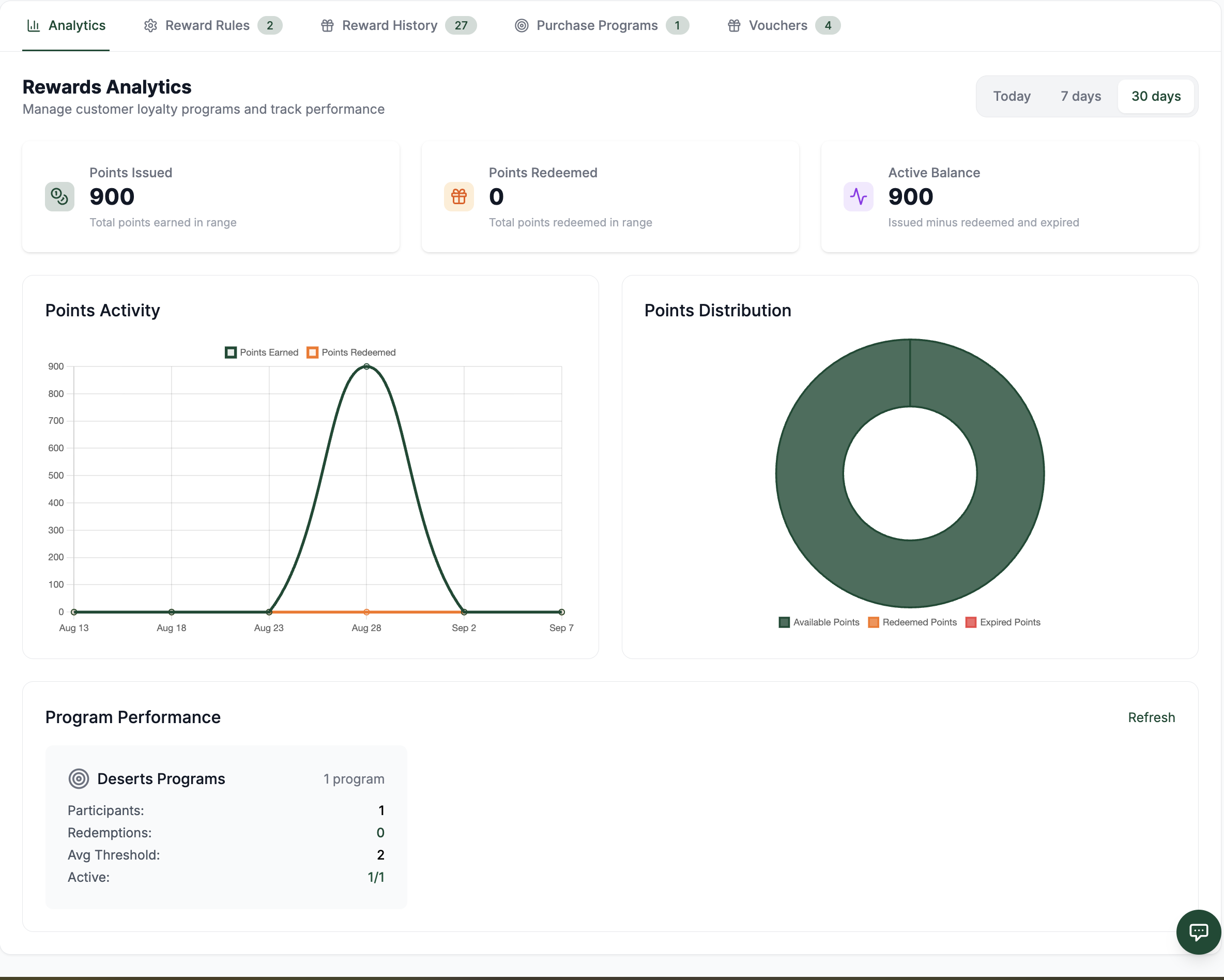
Open Rewards → Analytics to review loyalty activity for the selected company. Use the range selector to view Today, Last 7 days, or Last 30 days.
Key metrics
The dashboard summarizes:
| Metric | Meaning |
|---|---|
| Points issued | Points awarded during the selected range. |
| Points redeemed | Points used for rewards during the selected range. |
| Active balance | Current points still available across customer balances. |
| Points expiring soon | Points approaching their configured expiry. |
| Voucher totals and redemptions | Existing vouchers and their redemption activity. |
| Program performance | Purchase-program counts, participants, redemptions, and active-program totals by category. |
Analytics is a summary, not the source of truth for an individual balance or redemption. Use the appropriate History view for transaction-level investigation.
 123456
Use the dashboard to compare points activity and purchase-program performance for the selected company and period.
Screen Elements
Open this tab for the company-level rewards summary.
Choose Today, Last 7 days, or Last 30 days before interpreting the figures.
Compare points issued, points redeemed, and the active balance.
See how issued and redeemed points change through the selected period.
Review the split of point-related activity by type.
Compare purchase-program participants, redemptions, thresholds, and active totals by category.
Export the report
Select Export to download a CSV containing the selected range, summary metrics, and the purchase-program performance table. Use this export for operational reviews or to compare campaign performance across periods.
Investigate a metric
- For a points movement, open Rewards → History → Points.
- For a repeat-purchase reward, open Rewards → History → Purchase Programs.
- For a voucher use, open Rewards → History → Voucher Redemptions.
When comparing periods, keep the same date range and selected company. A change in the company selector changes the underlying data.
Related features
- Loyalty Points covers rule configuration and redemption.
- Purchase Programs covers repeat-purchase rewards and their history.
- Vouchers covers voucher configuration and redemption history.